
Co-parenting after a contentious divorce is hard. Co-parenting after a contentious divorce when every text becomes evidence and every voicemail becomes ammunition is harder. Los Angeles family judges have responded by increasingly ordering parents to communicate exclusively through dedicated co-parenting apps—platforms designed to memorialize, organize, and where appropriate, monitor communication between separated parents.
In 2026, these apps have matured significantly. Some are court-recognized, with built-in features like message-tone analysis, court-admissible records, and locked exchanges that cannot be deleted by either party. Here is what each major platform does, when courts order them, and how to use them well.
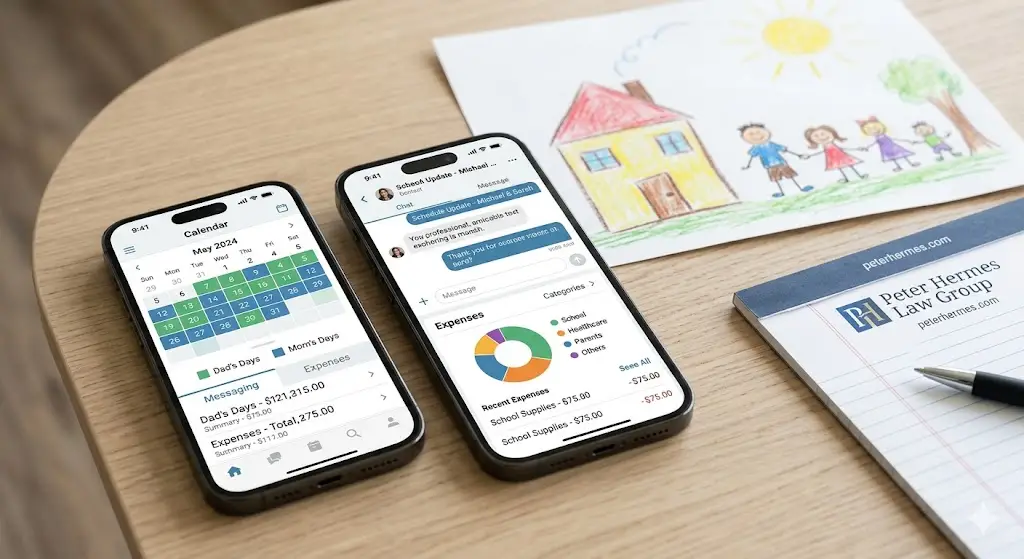
Why Courts Order Co-Parenting Apps
- They create permanent, time-stamped records of communications
- They prevent message deletion or alteration
- They reduce conflict by requiring more deliberate communication
- They centralize calendars, expenses, and important documents
- They allow third parties (attorneys, mediators, evaluators) to review communications when authorized
- They reduce the volume of disputes that reach court
OurFamilyWizard
The most widely court-ordered platform in California. Features include:
- Shared calendar with parenting time and exchange logistics
- Message board with read receipts and time stamps
- Expense log for shared child-related costs
- “ToneMeter” feature that evaluates messages for confrontational language before sending
- Court-grade exportable records used as evidence
- Optional access for legal professionals
TalkingParents
Often a court-ordered alternative to OurFamilyWizard. Features include:
- Recorded calls between parents (a unique feature)
- Messaging with permanent records
- Shared calendar and document storage
- Accountable Payments for child-related expenses
- Free basic tier and premium tier with full features
AppClose
A free option courts sometimes order in cost-sensitive cases:
- Messaging, calendar, and document sharing
- Expense tracking with reimbursement requests
- Free for both parents
- Records exportable for court
2houses
Popular for international families and extended family integration:
- Shared calendar with grandparent and step-parent access where appropriate
- Photo sharing and journal entries
- Expense tracker
- Multi-language support
How to Use a Co-Parenting App Well
- Treat every message as if a judge will read it—because they may
- Stay focused on logistics, schedule, and child-related issues; avoid relationship commentary
- Use BIFF principles: Brief, Informative, Friendly, Firm
- Respond within reasonable timeframes (24–48 hours for non-urgent items)
- Document everything in writing, even agreements made in person
- Use the app’s expense and calendar features rather than running parallel systems
How Not to Use a Co-Parenting App
- Long, emotional messages venting about the other parent
- Sending the same message multiple times
- Using the calendar to “claim” time outside of court order
- Sharing photos or content meant to provoke
- Including children in adult communications via the app
- Switching back to text or email when you want to say something off-record
When Apps Are Mandatory by Court Order
When a Los Angeles family court orders communication exclusively through an app, that order has the force of any other custody order. Texting, calling, or emailing the other parent in violation of the order is itself a violation of the custody judgment. Continued violations can support modification of custody and contempt findings.
Cost and Subscription Issues
Premium subscriptions for OurFamilyWizard and TalkingParents typically run $99–$200 per parent per year. Court orders typically require both parents to maintain subscriptions, and disputes over who pays can themselves lead to court hearings. Settlement agreements should specify cost-sharing.
Privacy and Children’s Accounts
Most apps offer optional accounts for children. These features should be used carefully—including a child in adult communications can place them in the middle of disputes. Consult with the attorney before activating child access.
Frequently Asked Questions
Q: Can a court force me to use a specific app?
A: Yes. Family courts have broad authority to order communication methods between co-parents, including specific apps.
Q: Are app records actually admissible in court?
A: Yes, if properly authenticated. The major platforms produce records designed to meet evidentiary standards.
Q: What if my co-parent stops responding?
A: Document the non-response and address it through court if it interferes with custody. The app itself records the failure to respond.
Suggested internal links:
- Link to: Parenting Plans in California: Building a Schedule That Works
- Link to: Don’t Let How Custody Battles Escalate
- Link to: Social Media Evidence in California Divorce
📲 The right communication tool reduces conflict and protects your case. Call Hermes Law Group at (213) 368-0000 for guidance.